BacBuster
BacBuster runs a BARDOT instrument, the bacterial colony scatterometer. It photographs a Petri dish, finds the colonies on it, then moves the dish so that a laser beam passes through each colony in turn, and records the pattern of light the colony scatters forward: its scatter image. The plate image, the colonies' positions and their scatter images are saved together as a plate, in a file or in a database, from which Baclan classifies them.
This manual describes BacBuster version 12.33 (Windows 64-bit).
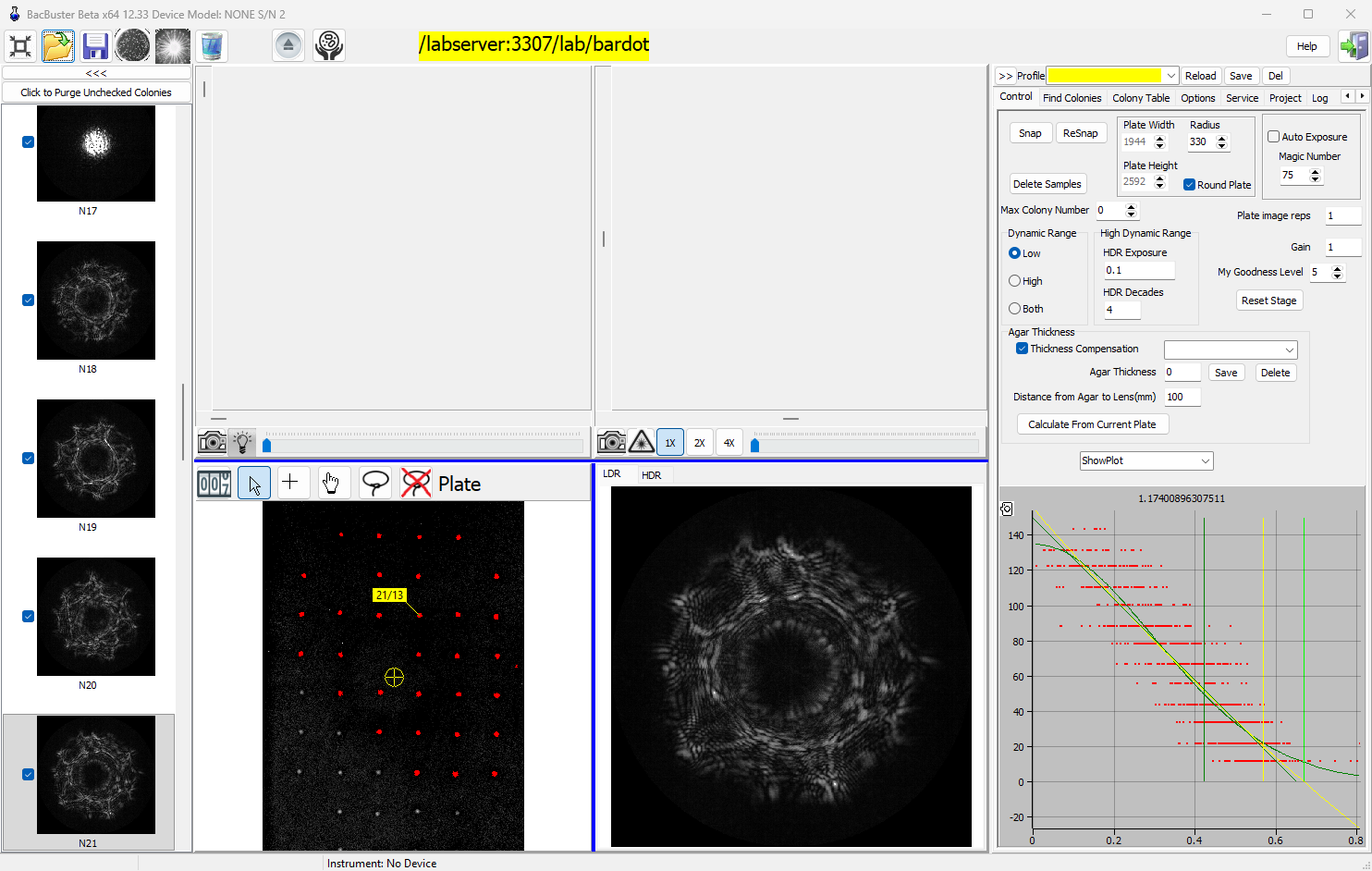
What BacBuster does
Takes the plate image. The plate camera photographs the dish under the plate light, and BacBuster finds the colonies on that image by their brightness, size and roundness.
Lets you choose the colonies. All colonies found are scanned unless you leave some out: draw around the ones you want, click colonies in or out, or cap their number.
Scans each colony. The stage brings every chosen colony into the laser beam, centres it, sets the exposure and takes its scatter image - in low or high dynamic range, or both.
Grades the images. A trained network scores every scatter image; the poor ones come unticked, and you can purge them before saving.
Saves the plate. With its name, barcode, organism, medium and incubation time, to a
MySQL or MariaDB database, to a .plt file or to a folder of images.
Runs unattended. With a Cytomat incubator BacBuster takes plates out at the times you set, scans them and puts them back, for as long as the experiment lasts.
Where to start
-
New to BacBuster? Read A tour of the window, then Scanning your first plate.
-
Setting up an instrument? See Devices and cameras and Calibration.
-
Planning an experiment? Plates planned in ExpManager appear on the Project tab.
-
Running a Cytomat? See The Cytomat incubator.
Words used in this manual
| Word | Meaning |
|---|---|
| Plate | A dish: its plate image, the colonies found on it and their scatter images, with its plate information |
| Plate image | The photograph of the whole dish, taken by the plate camera |
| Colony | A spot found on the plate image. Scanned colonies are also called samples |
| Scatter image | The pattern of laser light scattered forward by one colony, taken by the scatter (laser) camera |
| Stage | The motorised holder that moves the dish |
| Device | One BARDOT instrument, with its own settings and calibration files |
| Plate information | Name, barcode, user, experiment, organism, medium, source, lab and incubation of a plate |
Conventions used in this manual
| Convention | Meaning |
|---|---|
| Shift +click | Hold the key and click |
| Bold | A button, tab, check box or field you can see on screen |
Monospace |
A file name, folder name or literal value |
Asking for help inside BacBuster
F1 opens the page of this manual about whatever is under the mouse. The Help button on the toolbar opens its front page.
Safety
The BARDOT laser is on while colonies are scanned and while the laser button is down. Do not look into the beam.